See the stylesheet behind the wait
Stylelint File Progress shows files as they reach Stylelint's rule phase. Keep a readable trail of filenames, switch to compact activity, or show just a process summary.
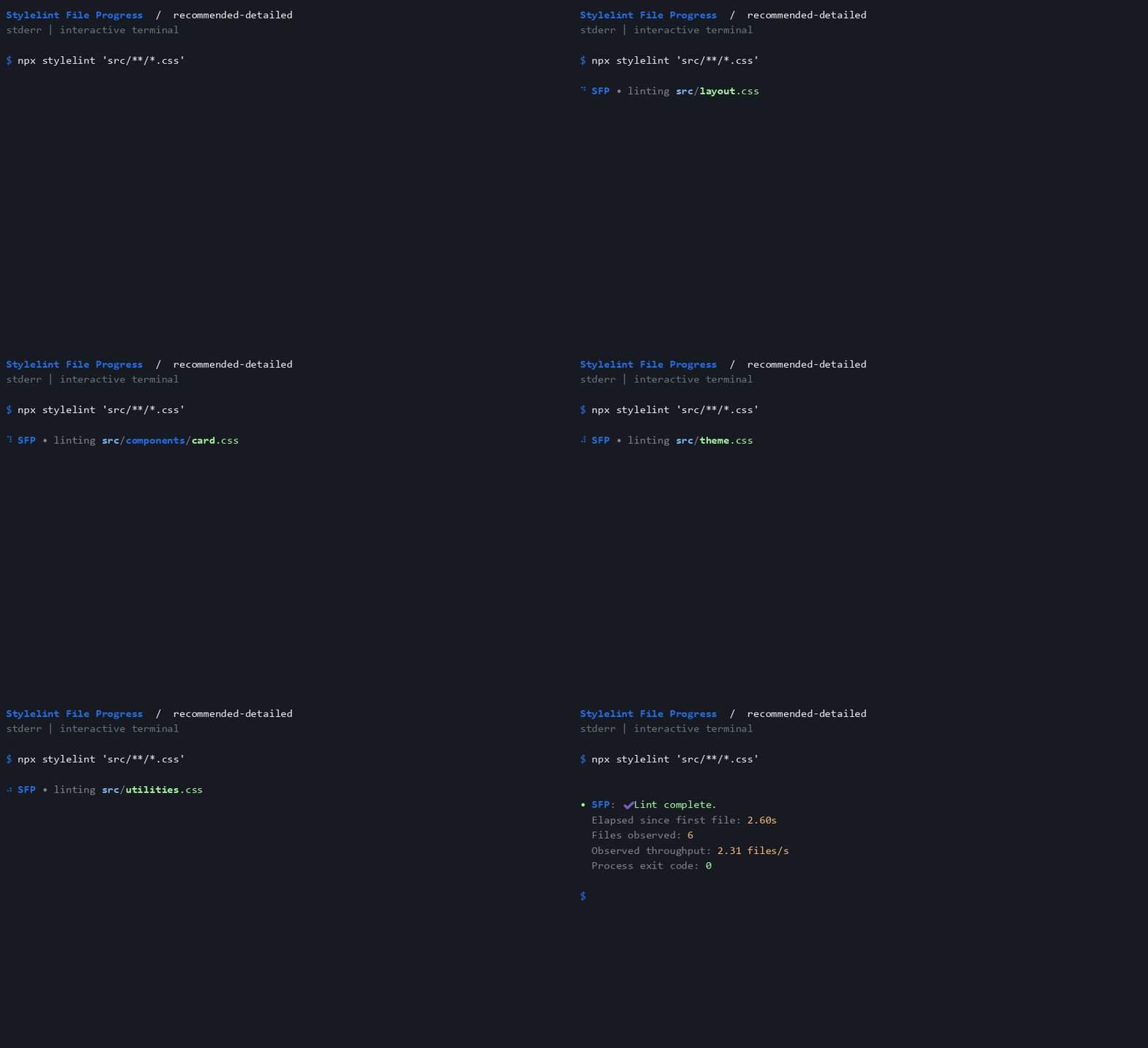
A native plugin for your existing workflow
The plugin adds one observational rule, file-progress/activate, to your Stylelint configuration. It observes each physical input that reaches the rule, leaves CSS and diagnostics intact, and prints to stderr by default.
| Choose your experience | Start with |
|---|---|
| Follow each stylesheet | Everyday progress |
| Keep filenames and process metrics | Detailed progress |
| Keep CI quiet, with an optional summary | CI presets |
| Minimize output or respect terminal detection | Compact, summary, and TTY presets |
Get started
npm install --save-dev stylelint stylelint-plugin-file-progress
export default {
 extends: ["stylelint-plugin-file-progress/configs/recommended"],
};
Keep your existing shared config before the progress preset in extends. Your lint rules, fixes, and normal report continue to work. The getting started guide includes CommonJS, custom options, and disabling output.
Pick your display
- Watch the colored demos: all presets, options, and spinner styles.
- Configure the rule: filenames, streams, marks, spinner frames, and throttling.
- Choose a preset: seven configurations for local terminals, CI, and compact output.
- Understand the metrics: process summaries, cached files, and custom syntax.
- Develop the plugin: local checks, clean consumers, and generated docs.
Default progress goes to stderr, leaving stdout untouched. Stylelint also writes its normal CLI report to stderr; use its --output-file report.json --formatter json options for an intact machine-readable report.
Know what the numbers mean
Summaries cover observed file events over the process lifetime. Ignored files, unchanged cached files, and parsing failures before rule execution are not observed. The plugin does not know an exact total, percentage, ETA, or the completion time of every file.
Read compatibility and metric boundaries before using the metrics in scripts or watch processes. For missing output or confusing results, start with troubleshooting.